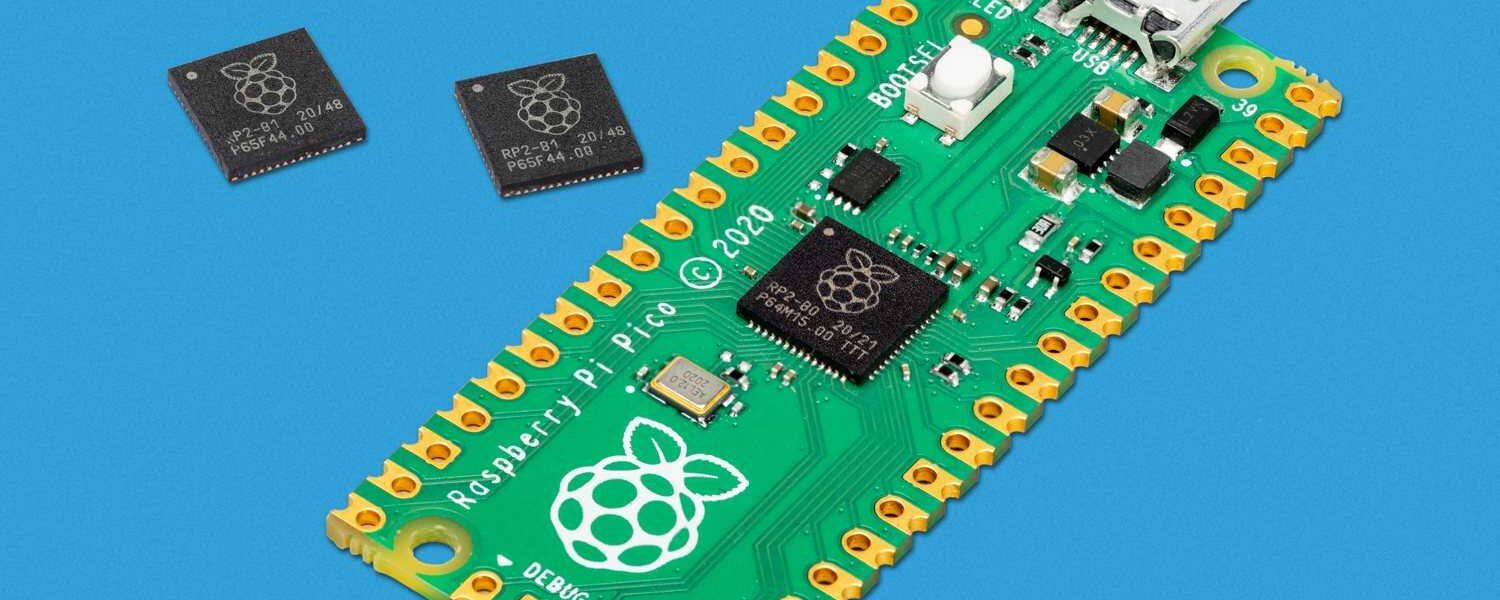

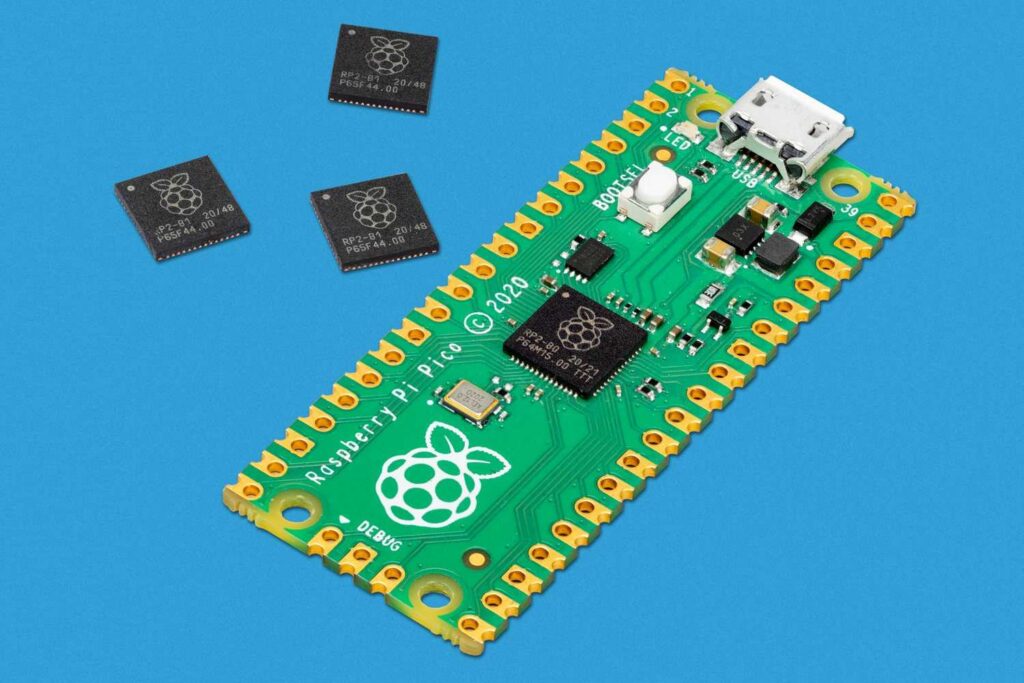
The Raspberry Pi Pico is not your typical Raspberry Pi. Unlike its Linux-running siblings, this $4 microcontroller is designed for embedded projects, offering raw performance, low power consumption, and a surprising amount of flexibility. Since its launch, it has become a favorite among hobbyists, educators, and professionals alike. But does it live up to the hype? Let’s dive in.
What Makes the Raspberry Pi Pico Special?
1. Raspberry Pi’s First Custom Silicon: The RP2040
The Pico is powered by the RP2040, Raspberry Pi’s first in-house designed microcontroller chip. This dual-core Arm Cortex-M0+ processor runs at 133 MHz, which is impressive for its price range. Compared to classic microcontrollers like the Arduino Uno (16 MHz), the Pico delivers significantly more processing power .
Key features of the RP2040:
- 264KB of SRAM (way more than most microcontrollers in this class).
- 2MB of onboard Flash storage (expandable up to 16MB via QSPI).
- Programmable I/O (PIO) state machines – a unique feature that lets you create custom hardware interfaces without bit-banging .
2. Unbeatable Price-Performance Ratio
At just $4, the Pico is one of the cheapest Cortex-M0+ boards available, yet it outperforms many competitors. For comparison:
- The Arduino Uno R3 costs around $25 but runs at just 16 MHz.
- The ESP8266 (Wi-Fi-enabled) is similarly priced but lacks the Pico’s dual-core performance .
If you need Wi-Fi, the Pico W (at $6) adds an Infineon CYW43439 chip, making it a budget-friendly IoT solution .
Hardware & Design: Small but Mighty
Compact and Breadboard-Friendly
Measuring just 51 x 21mm, the Pico is smaller than a Raspberry Pi Zero. It comes with 40 GPIO pins, including:
- 26 multi-function pins (supporting digital I/O, PWM, UART, SPI, I2C).
- 3 × 12-bit ADC inputs (for analog sensors).
- 8 × PIO state machines (for custom protocols like VGA or WS2812B LED control) .
Unlike traditional Pis, the Pico has no HDMI or USB ports—just a micro-USB for power and programming. It’s designed to be embedded directly into projects, either via soldered headers or castellated edges for surface mounting .
Power Efficiency
One of the Pico’s biggest advantages is its low power consumption. In tests, it drew just 0.7W while driving 12 NeoPixel LEDs at full brightness—compared to a Raspberry Pi 4, which idles at 4-5W . This makes it ideal for battery-powered projects.
Software & Programming: MicroPython vs. C
MicroPython: Beginner-Friendly
The Pico supports MicroPython, a stripped-down version of Python 3 optimized for microcontrollers. Setting it up is simple:
- Hold the BOOTSEL button while plugging in USB.
- Drag-and-drop the MicroPython .UF2 file onto the Pico.
- Use Thonny IDE to write and upload code .
Example (Blinking an LED):
Real-World Use Cases
1. IoT & Wireless Projects (Pico W)
The Pico W adds Wi-Fi, making it great for:
-
Home automation (sensor logging, smart lights).
-
MQTT messaging (sending data to Node-RED or Home Assistant).
-
Web servers (though library support is still limited).
Example (Connecting to Wi-Fi):
2. Robotics & Motor Control
With 16 PWM channels and support for servos, steppers, and DC motors, the Pico is a solid choice for robotics. The PIO blocks can even handle precise timing for protocols like DShot (used in drones) .
3. Custom Interfaces (Thanks to PIO)
The Programmable I/O (PIO) is a game-changer. It lets you:
- Emulate VGA output (with external resistors).
- Drive NeoPixel LEDs without CPU overhead.
- Create custom communication protocols (e.g., for obscure sensors) .
Limitations & Alternatives
1. No Built-in Bluetooth (Even on Pico W)
Unlike the ESP32, the Pico W’s Infineon chip supports Bluetooth 5.2—but it’s disabled in firmware. Hackers might enable it later, but for now, Bluetooth projects require an external module .
2. Library Support Is Still Growing
While MicroPython is well-supported, some advanced libraries (like HTTP servers) are missing. The Arduino IDE now supports the Pico, but stability varies .
3. No 5V Output
The GPIO runs at 3.3V, so interfacing with 5V devices requires level shifters .
Alternatives to Consider
- ESP32: Better for Wi-Fi/Bluetooth projects.
- Arduino Nano: More beginner-friendly IDE.
- Raspberry Pi Zero: If you need Linux.
Final Verdict: Who Should Buy It?
Get the Pico If You…
✅ Want a fast, low-cost microcontroller for embedded projects.
✅ Need dual-core performance or custom I/O (PIO).
✅ Prefer MicroPython for quick prototyping.
Skip It If You…
❌ Need built-in Wi-Fi/Bluetooth (unless you get the Pico W).
❌ Require extensive library support (C/C++ is still maturing).
❌ Work mostly with 5V components.
Where to Buy & Starter Kits
The Pico is widely available for $4–$8 (Amazon, Adafruit, etc.). For beginners, the Elecrow Pico Advanced Kit ($38–$68) includes sensors, a robot car, and tutorials—perfect for learning .
Final Thoughts
The Raspberry Pi Pico is a revolutionary $4 board that punches above its weight. Whether you’re a beginner or an advanced maker, its performance, PIO flexibility, and low power make it a must-have for electronics projects. And with the Pico W bringing Wi-Fi, it’s only getting better.
Have you tried the Pico? Share your projects in the comments! 🚀