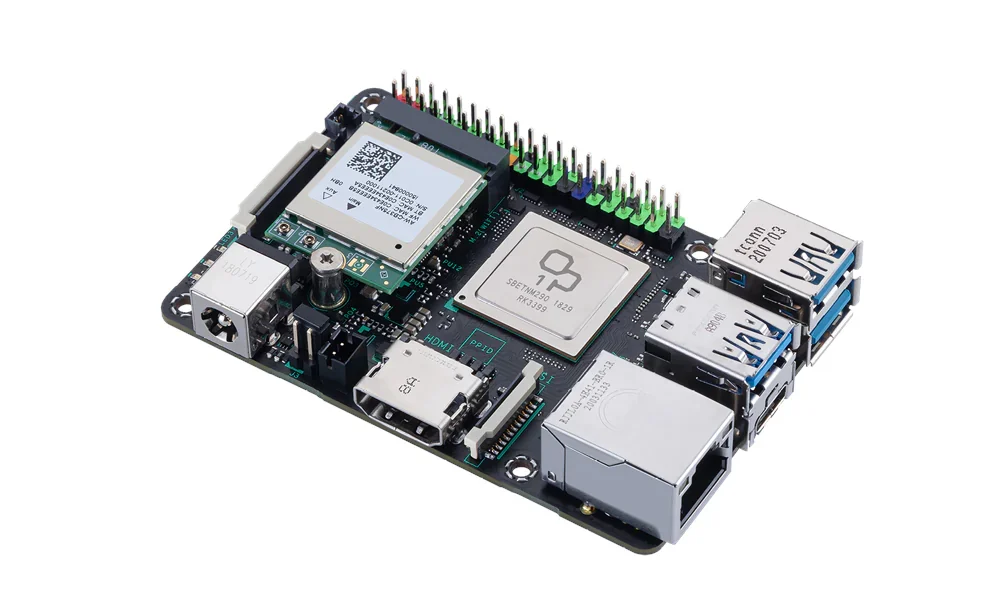

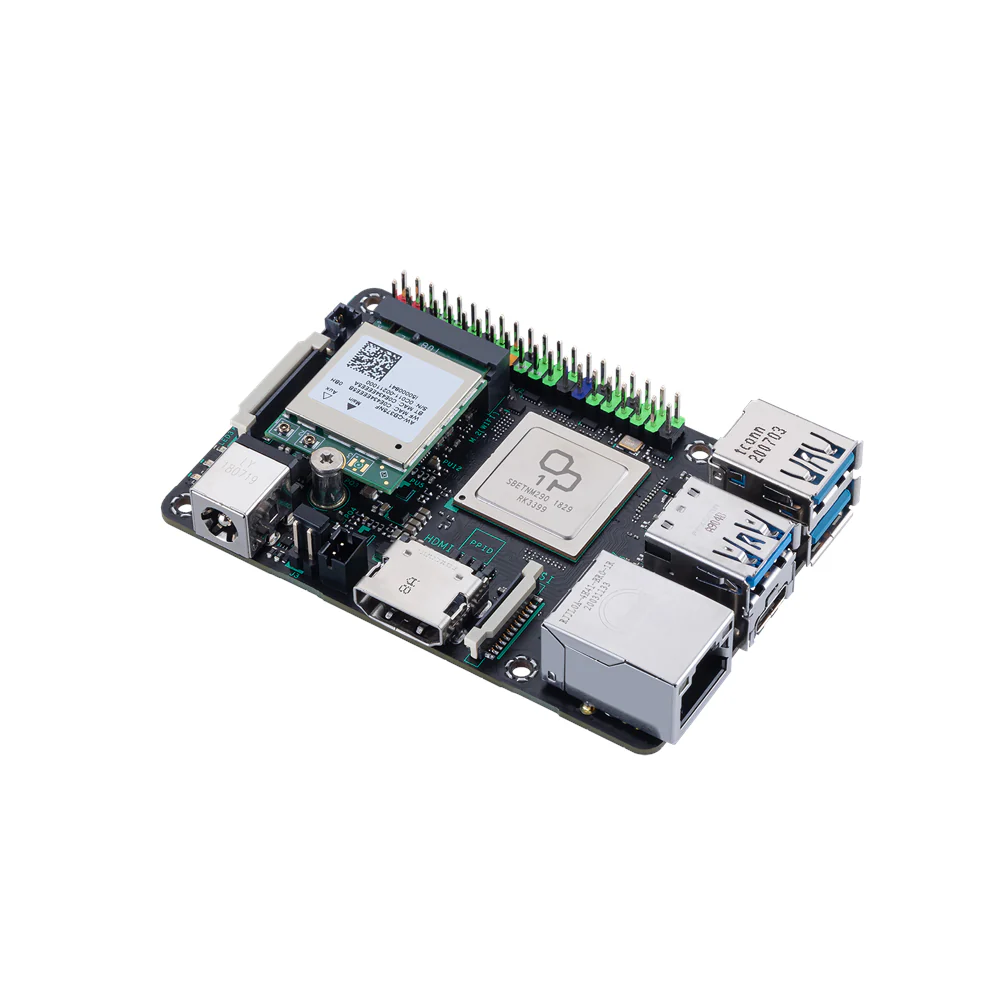
The single-board computer (SBC) market is crowded with Raspberry Pi competitors, but few have generated as much mixed reception as the ASUS Tinker Board 2S. Priced at $119–$134, this board boasts impressive specs on paper—including a 6-core Rockchip RK3399 CPU, 4GB RAM, and 16GB eMMC storage—but does it deliver where it counts?
After weeks of testing, here’s the honest breakdown: The Tinker Board 2S is a capable but frustrating device—powerful hardware let down by spotty software support, poor documentation, and questionable design choices.
First Impressions: What’s in the Box?
The Tinker Board 2S arrives in a no-frills package, with just the board and minimal documentation. At first glance, it looks like a premium Raspberry Pi clone, with a sleek black PCB and gold-plated ports.
Key Specs at a Glance
- CPU: Rockchip RK3399 (2x Cortex-A72 @ 2.0GHz + 4x Cortex-A53 @ 1.5GHz)
- GPU: Mali-T860 MP4 (supports 4K video)
- RAM: 2GB or 4GB LPDDR4
- Storage: 16GB eMMC + microSD slot
- Ports:
- 4x USB 3.2 Gen1 (Type-A)
- 1x HDMI 2.0 (4K@60Hz)
- Gigabit Ethernet
- M.2 slot (Wi-Fi/BT module included)
- GPIO: 40-pin header (Raspberry Pi-compatible layout)
The hardware is undeniably well-built, but the real test is how it performs in real-world use.
Performance: Where It Shines (and Stumbles)
CPU & GPU Power
The RK3399’s big.LITTLE architecture delivers solid performance:
- ~25% faster than Raspberry Pi 4 in multi-core tasks.
- Smooth 4K video playback (H.265/VP9 decoding).
- Handles light gaming (emulators up to PS1/N64 work well).
However, thermal throttling is a problem. Without a fan, the CPU quickly hits 70°C+ under load, dropping clock speeds to 1.2GHz. A heatsink helps, but active cooling is recommended for sustained workloads.
Storage & Networking
- eMMC is sluggish (~50MB/s reads)—barely faster than a good microSD card.
- Gigabit Ethernet performs well (~900Mbps in tests), but Wi-Fi is mediocre (2.4GHz-only on the included M.2 card).
Software: The Biggest Letdown
Limited OS Support
ASUS provides Tinker OS (Debian-based) and Android 10/11 images, but:
- Tinker OS feels outdated (based on Debian 10 “Buster”).
- No mainline Linux kernel support (stuck on 5.10–6.1).
- Community builds (Armbian) are unstable—Wi-Fi, GPU acceleration, and GPIO often break.
Missing Raspberry Pi Compatibility
- No native RPi.GPIO library—GPIO programming requires manual pin mapping.
- Camera/display HATs don’t work (CSI/DSI ports use non-Pi standards).
Firmware & Documentation Issues
- OTA updates are hit-or-miss.
- Official docs are sparse, forcing users to rely on forums for troubleshooting.
Real-World Use Cases: Who Should Buy It?
Good For:
✅ Media Centers (4K Kodi/LibreELEC works well).
✅ Light Desktop Use (web browsing, office apps).
✅ Network Appliances (firewalls, Pi-hole—thanks to Gigabit Ethernet).
Bad For:
❌ Beginners (setup is fiddly, support is lacking).
❌ GPIO Projects (poor documentation, no Pi ecosystem).
❌ High-Performance Computing (throttles without cooling).
Alternatives to Consider
| Board | Pros | Cons |
|---|---|---|
| Raspberry Pi 5 | Better software, huge community | Hard to find at MSRP |
| Orange Pi 5 | More RAM, NVMe support | Buggy Android/Linux images |
| Rock 5B | 8K video, PCIe 4.0 | Expensive ($150+) |
Final Verdict: A Niche Board with Potential
The Tinker Board 2S isn’t a bad device—it’s just outclassed by cheaper, better-supported options. If you:
- Need a media player with 4K support
- Want a lightweight Linux desktop
- Don’t mind tinkering with drivers
…it might be worth a look. But for most users, a Raspberry Pi 5 or Orange Pi 5 is a safer bet.
Rating: 6.5/10
Hardware: 8/10 | Software: 5/10 | Value: 6/10
Where to Buy
- Amazon (~$119 for 2GB, ~$134 for 4GB).
- ASUS Store (occasional discounts).
Recommended Accessories:
- Active cooler (~$10, prevents throttling).
- Quality microSD card (Samsung Evo+ for better speeds).